At the bottom of the desktop, there is a window demonstrating open positions and active pending orders. The window has several pages:
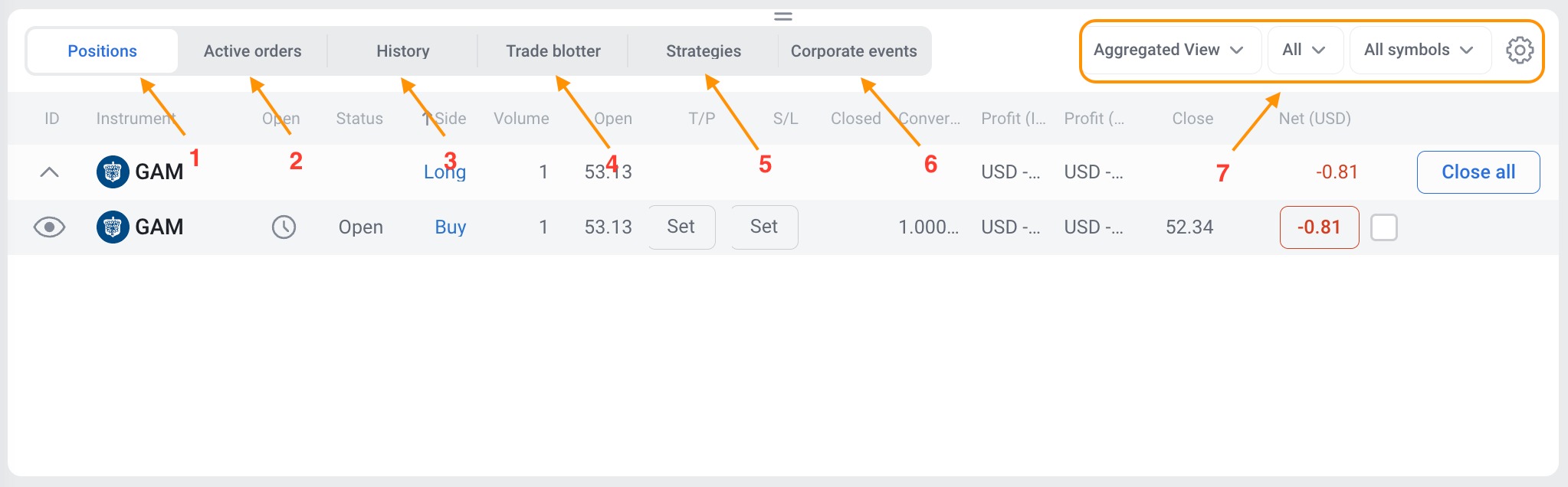
1. Positions – reflects all open positions.
2. Active orders – reflects all active pending orders.
3. History – demonstrates the trading history for a certain period.
4. Trade blotter (order log) – reflects all executed and cancelled orders.
5. Strategies (trading RoboBuilder) – demonstrates built-in popular automatic strategies, and allows creating your own.
6. Corporate events – demonstrates the list of past and planned important corporate events: annual reports, dividends, splits.
7. Data representation menu.
Read about corporate events here.