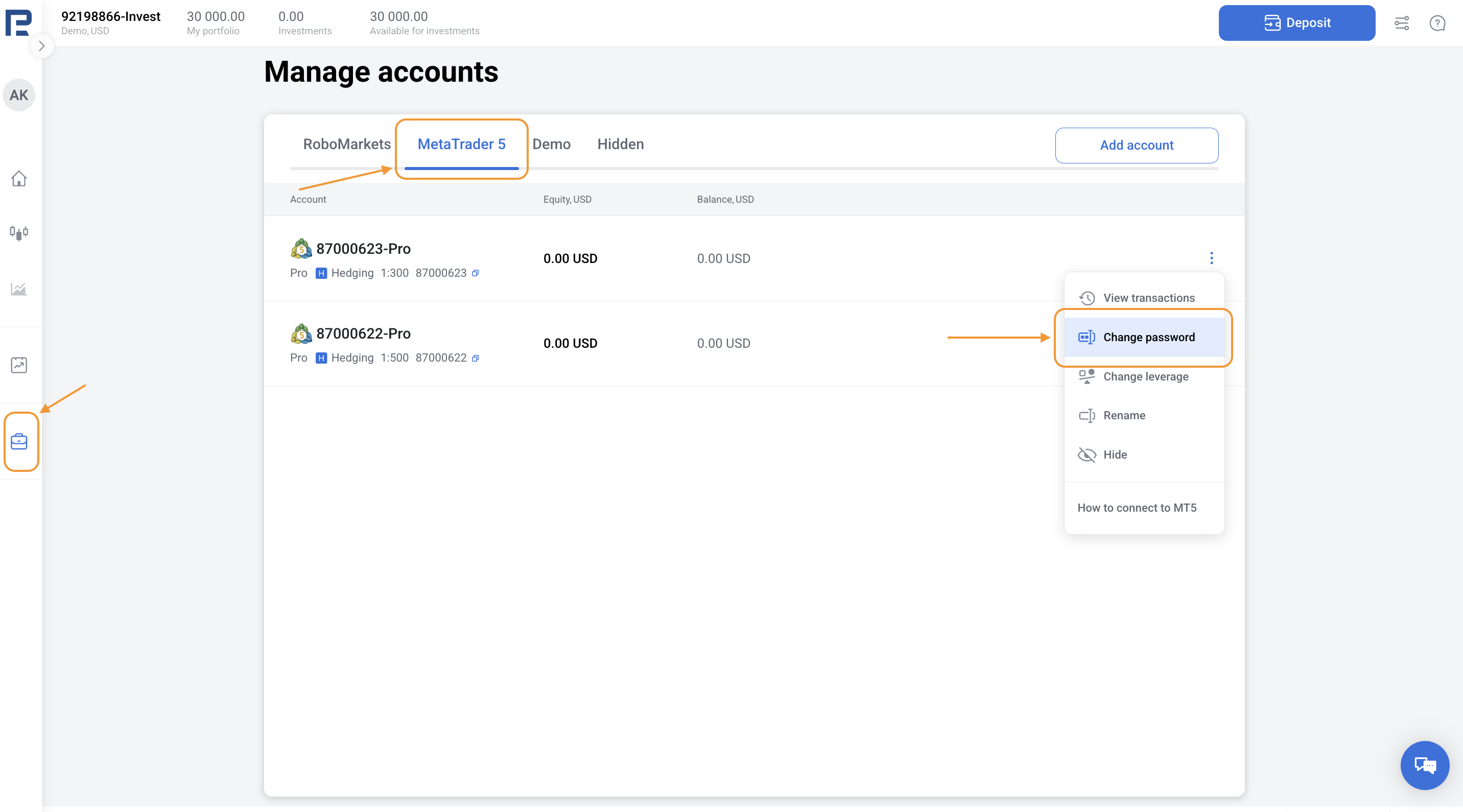
1. Go to the Manage accounts section in the left menu.
2. Choose the MetaTrader 5 account for which you want to restore the password.
3. Click the three dots in the top-right corner and choose Change password > Restore password.
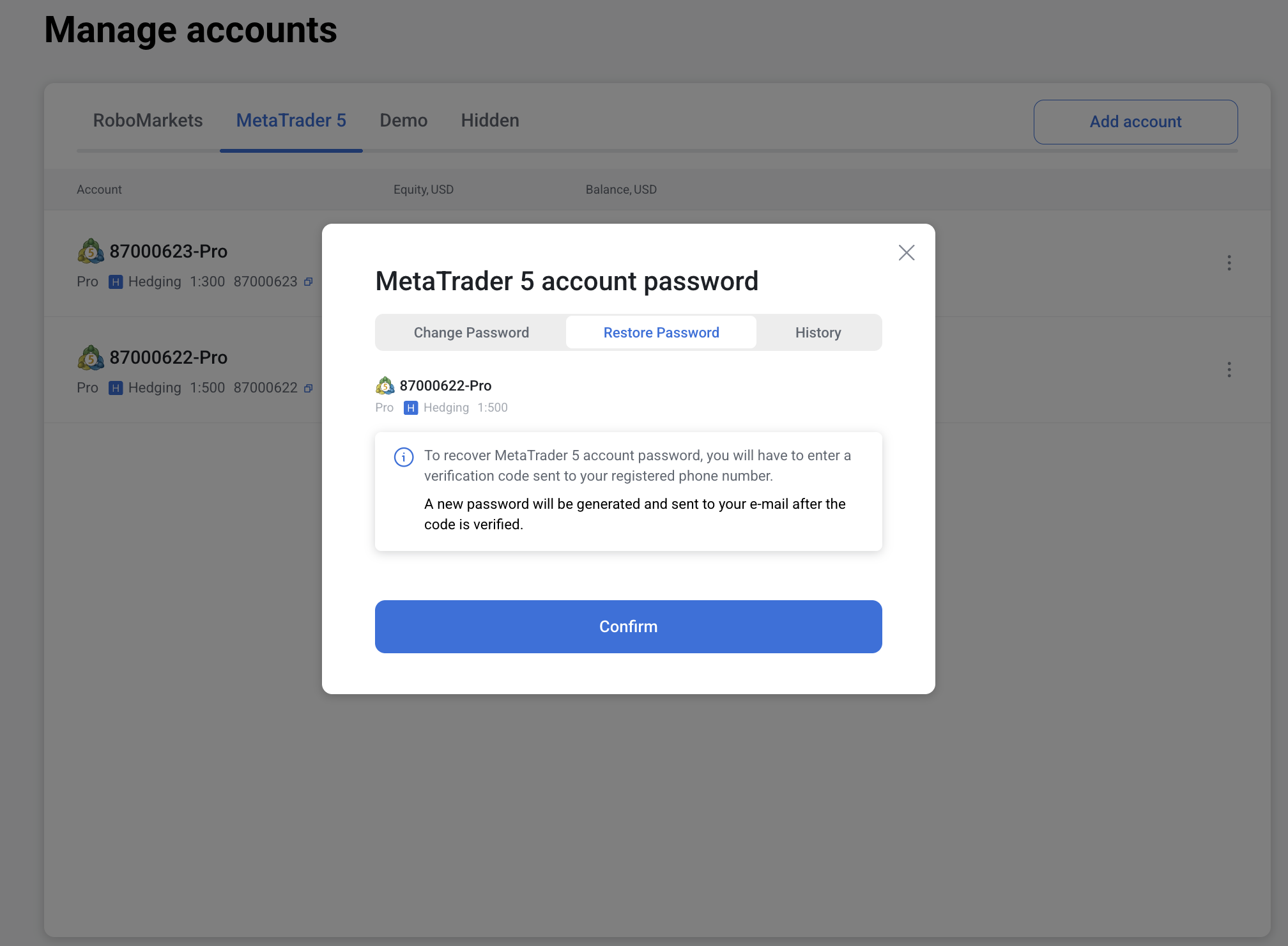
Depending on your account balance, the recovery process will differ:
- If your account has a positive balance: For security reasons, you’ll need to contact our support team to restore the password. Please email us at info@robomarkets.com and attach a photo of your face next to the ID document you used during verification.
-
If your account has no funds: Click Confirm to proceed. You’ll receive an SMS with a verification code sent to your registered phone number. Enter the code in the field that appears and tap Confirm. Didn’t receive the code? Tap Didn’t receive a code? to request it again.
4. Once the password is restored, you’ll see a message: New password was sent to your e-mail.
You can view the password recovery history under the History tab on the account management screen.